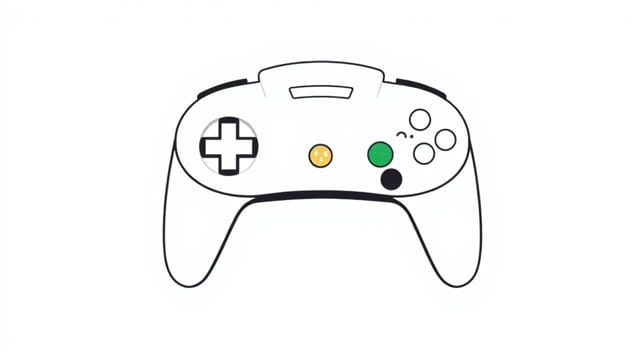
For many retro gaming fans, few things are more frustrating than setting up a Nintendo 64 (N64) console, inserting a classic cartridge, turning it on, and discovering there’s no video output. The N64 not outputting video is a common issue that can be caused by a range of factors, from dirty connectors to faulty AV cables. Fortunately, most of these problems have practical solutions. Whether you’re dusting off your childhood system or diving into retro gaming for the first time, understanding why your N64 isn’t displaying video is the first step toward getting it back in working order.
Understanding How the N64 Outputs Video
Standard Video Output Options
The N64 primarily uses composite video output through its multi-out AV port. This port is shared with other Nintendo consoles of the same generation, such as the Super Nintendo and GameCube. The typical cable includes three RCA connectors yellow for video, and red and white for audio. Some users may also have access to S-Video cables or RF adapters, although these are less common today.
Knowing which type of cable you’re using and whether your TV or monitor supports that input is critical to solving display issues. Newer TVs, especially flat screens or smart TVs, may not support analog inputs well or at all, which can be a key reason the N64 isn’t outputting video correctly.
Common Reasons for No Video Output
1. Dirty Cartridge Contacts
One of the most frequent causes of an N64 failing to display anything is poor contact between the cartridge and the console. Over time, dust, oxidation, and grime build up on the pins of both the game cartridge and the cartridge slot inside the N64.
- Remove the cartridge and inspect the gold pins.
- Use isopropyl alcohol and a cotton swab to gently clean the contacts.
- Allow it to dry completely before reinserting it into the console.
- Gently insert and remove the cartridge several times to help reseat the connection.
Even a slightly dirty connection can cause the console to boot without displaying anything, especially if the system can’t read the game data properly.
2. Faulty or Loose AV Cable
The AV cable is the main link between your N64 and your display. If the cable is damaged, worn out, or loosely connected, you may get no image at all.
- Check the cable for any visible cuts, bends, or frays.
- Make sure the connectors are fully plugged into both the N64 and the TV.
- If possible, test with another cable from a compatible console like the SNES or GameCube.
- Try plugging the cable into another video input on your TV to rule out a faulty port.
If your TV doesn’t have composite inputs, you may need an adapter or converter to connect your N64 properly. Not all converters handle the analog signal well, so this can introduce compatibility issues.
3. Incorrect TV Input Selection
Sometimes the issue isn’t with the console at all but with the TV settings. Modern TVs may have multiple video inputs, and switching between them isn’t always automatic.
- Use the TV remote to cycle through available input sources (AV1, AV2, Video, Composite, etc.).
- Double-check that you’re on the right input corresponding to the AV cable connection.
- Some TVs label inputs generically or may require manual enabling of certain ports in the settings menu.
It’s easy to overlook this simple step, especially if you’re using a universal remote or a TV with multiple devices connected.
4. Power Supply Issues
Without proper power, your N64 won’t boot or display anything. While the power light may come on, it doesn’t always mean the console is fully functioning.
- Ensure the power supply is original or a trusted third-party model.
- Check for a secure connection to both the outlet and the console.
- Try a different outlet to rule out household electrical issues.
If the power supply is weak or failing, the console might light up without fully initializing the video hardware.
Advanced Troubleshooting Steps
Inspecting the Motherboard
For users with some technical skill, opening the N64 to inspect the internal components can provide additional clues. Signs of corrosion, capacitor leakage, or broken solder joints can prevent video output.
If you decide to open the system:
- Use a 4.5mm security bit to remove the screws.
- Inspect the board for physical damage or burn marks.
- Clean the internal cartridge connector and AV port from the inside if accessible.
This approach is more advanced and should only be attempted if you’re comfortable working with electronics.
Testing with Another Game Cartridge
Sometimes, the problem is specific to the game. If you only have one cartridge, you won’t know whether the issue lies with the game or the console.
- Borrow or buy another N64 cartridge to test.
- If another game displays properly, your original cartridge may be damaged or corrupted.
- Try cleaning the cartridge pins again, especially if it’s an older title.
Using a CRT Monitor or TV
Modern TVs aren’t always compatible with older systems like the N64. If you suspect this might be the case, try plugging the console into a CRT TV if you have access to one.
- Older TVs handle composite signals natively without conversion.
- Some CRTs even offer better color and response times for retro gaming.
- This is a useful way to rule out compatibility issues with your current display setup.
Preventative Measures and Maintenance Tips
Keeping Your N64 in Good Shape
To reduce the chances of future video issues with your N64, it’s important to maintain it properly:
- Store it in a dust-free environment and avoid moisture exposure.
- Clean the cartridge slot periodically using compressed air or a cartridge slot cleaning tool.
- Use quality AV cables and avoid wrapping them tightly, which can cause internal damage.
- Turn off the console before inserting or removing cartridges.
Consider Video Modding Options
For enthusiasts who want a more reliable and high-quality video output, there are modding options available:
- RGB modscan be installed to improve video clarity and compatibility.
- HDMI mod kitsallow direct digital output from the N64 to modern TVs.
- These modifications require soldering skills or professional installation but can solve most video output problems permanently.
The N64 not outputting video is a common issue but one that is usually fixable with careful troubleshooting. By checking cables, cleaning cartridges, verifying TV input settings, and inspecting the console itself, most users can identify and resolve the problem. Whether you’re chasing nostalgia or exploring retro games for the first time, keeping your hardware in good working order ensures your adventures in Hyrule, the Mushroom Kingdom, or beyond remain vivid and uninterrupted. With patience and a bit of maintenance, your N64 can continue providing pixel-perfect memories for years to come.